Release 11.11
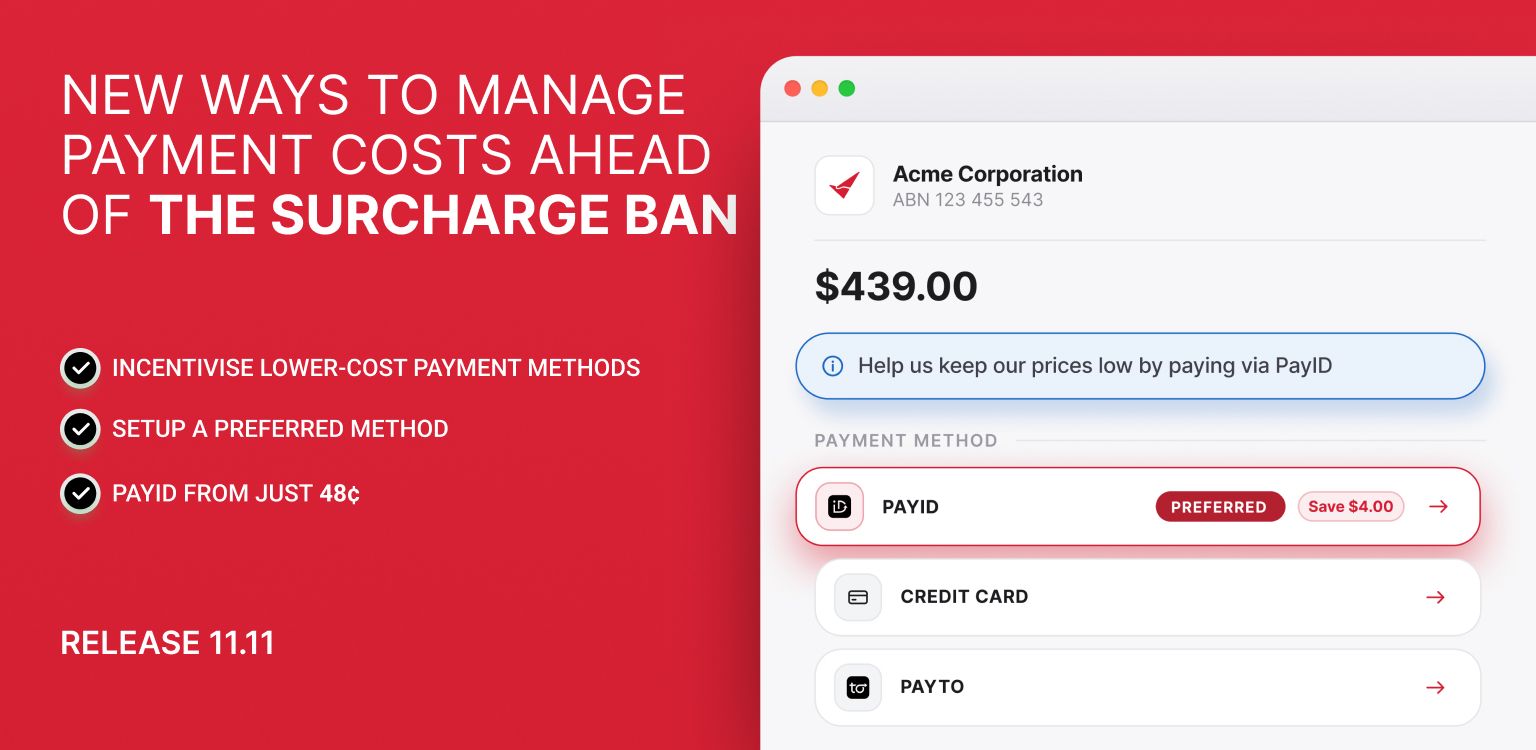
New ways to manage payment costs ahead of the surcharge ban
From 1 October 2026, businesses will no longer be able to surcharge customers for credit and debit card payments.
We've released new tools to give you more control over how customers pay and help you reduce the impact of these changes on your business.
For an overview of the different ways you can reduce your payment costs, view our surcharge ban guide here.
To understand more about the surcharge ban and what is changing, read our blog here.
🌟 NEW: Incentivise lower-cost payment methods 🌟
We've added Payment Incentives to the Reduce Fees tab.
Payment Incentives allow you to offer customers a discount when they choose PayID or PayTo on a Payment Request or through your Payment Portal.
This gives you another way to encourage customers towards payment methods that cost your business less to accept.
For example, your business may decide to increase its pricing to account for absorbing card processing costs, but then offer a 1% discount when a customer chooses a lower-cost payment method.
See the savings on an example $500 payment:
Credit card
$500 payment − $9.35 processing fee
Customer Pays: $500, You receive: $490.65
PayID with a 1% customer discount
$500 payment − $5 discount − $0.48 processing fee
Customer Pays: $495, You receive: $494.52.
In this example, the customer saves $5 and your business receives $3.87 more than it would from the card payment. You both win!
This allows you to give customers a genuine incentive to choose a cheaper way to pay while also reducing your overall payment costs.
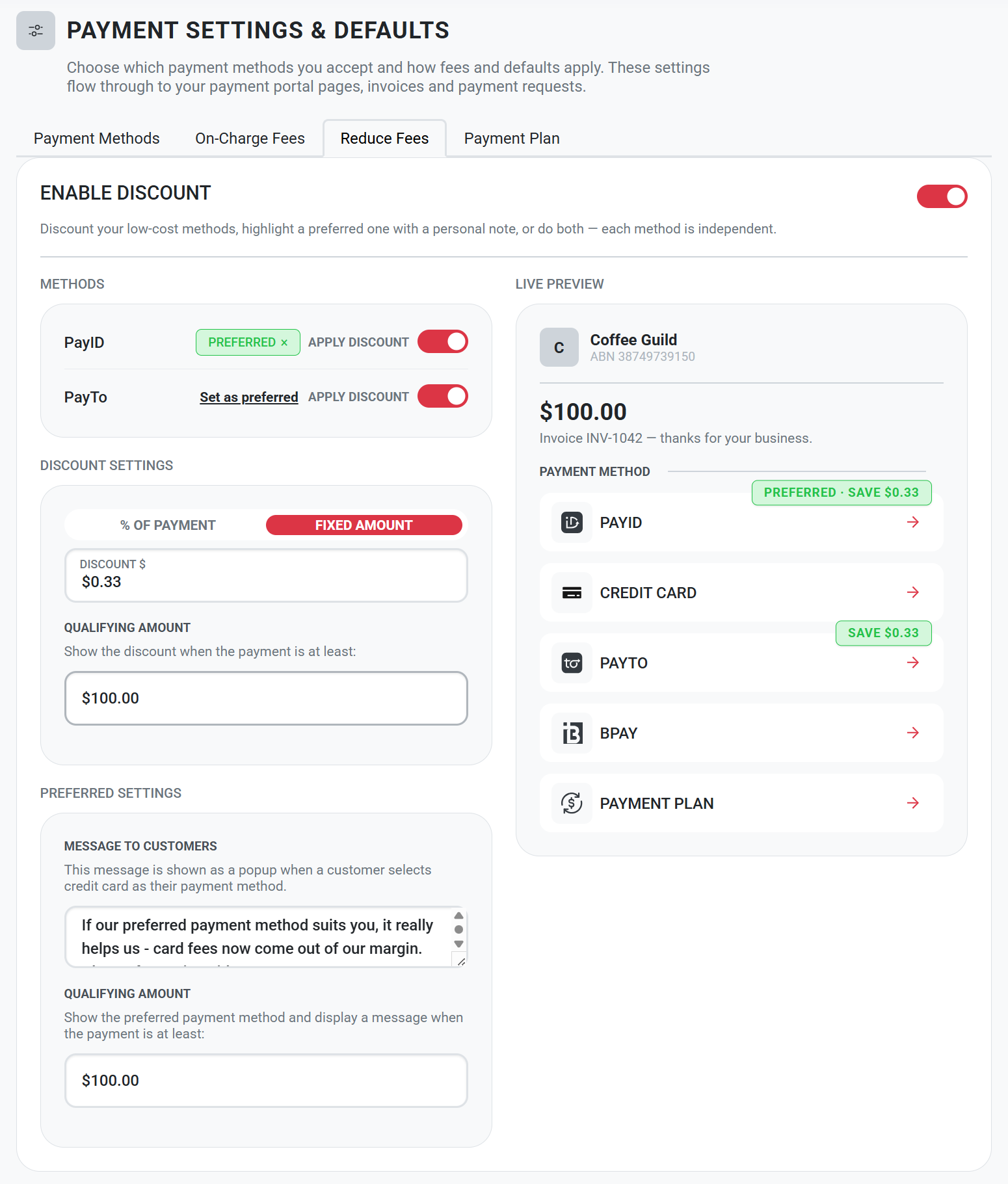
Uplifted Payment Settings & Defaults
We've brought your account-level payment settings together into one place.
Go to Settings → Payment Settings & Defaults, where you'll now find tabs for:
Reduce Fees
On-Charge Fees
Payment Methods
Payment Plans
More control over when you accept credit cards
The Payment Methods tab replaces the previous Defaults screen and allows you to choose which payment methods you want to offer customers.
We've also added an amount limit for credit card payments.
This allows you to continue offering cards for smaller payments while directing larger payments towards lower-cost options such as PayID or bank account payments.
For example, you could set a $500 credit card limit. Customers paying $500 or less can still choose to pay by card, while customers paying more than $500 will be offered your other enabled payment methods.
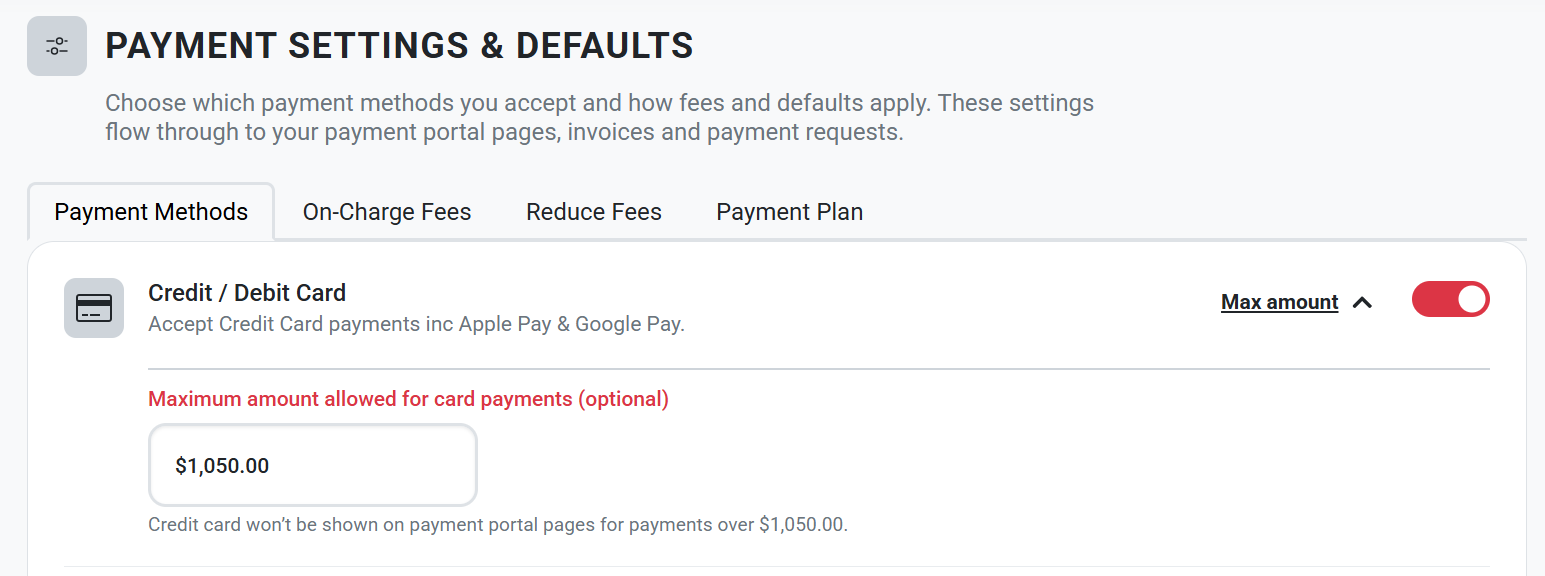
This can make a significant difference because card processing fees generally increase with the size of the payment, while methods such as PayID have a low fixed fee.
Important: These settings are defaults for new items only. Existing invoices and payment requests will continue to use the payment methods they were created with.
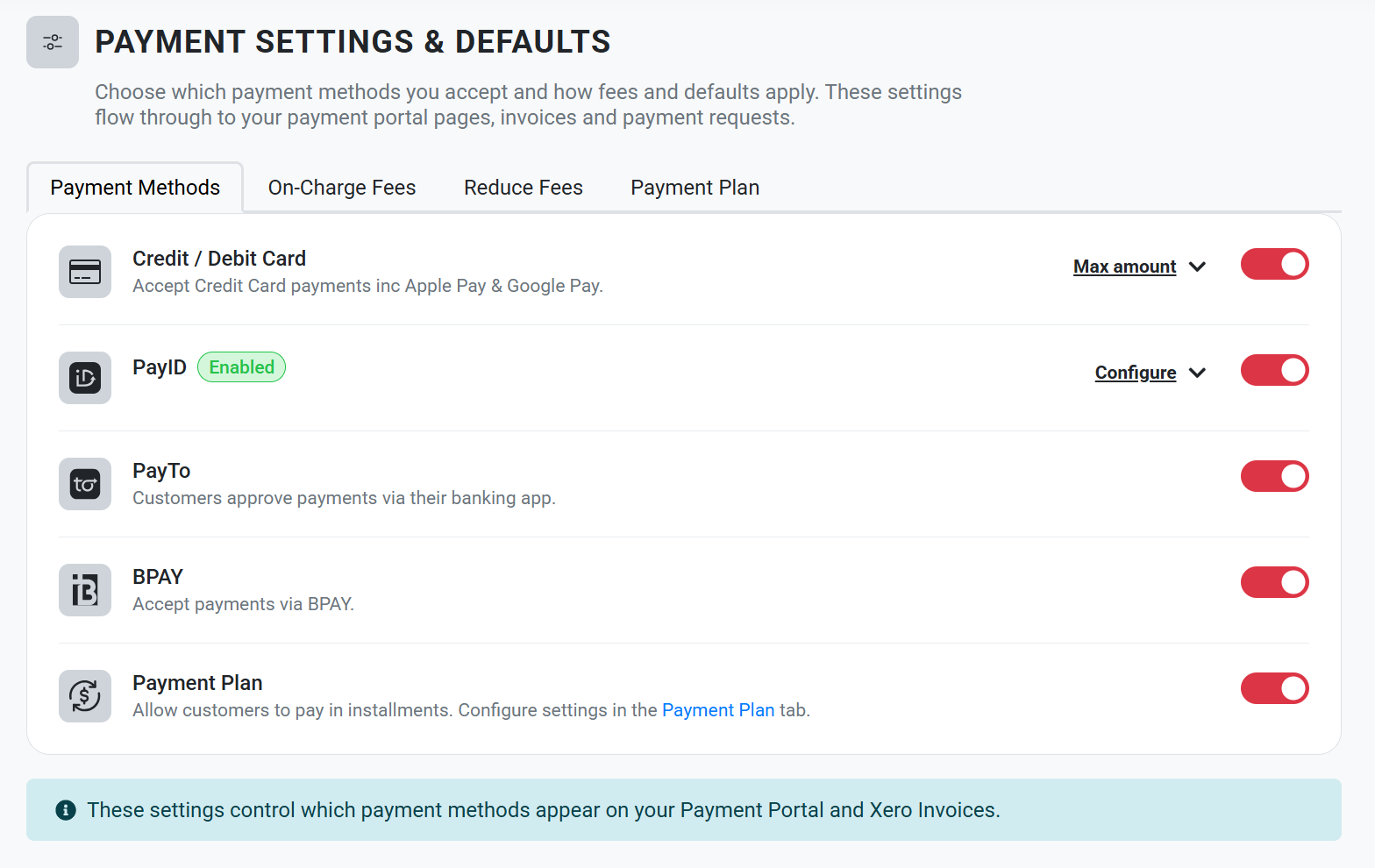
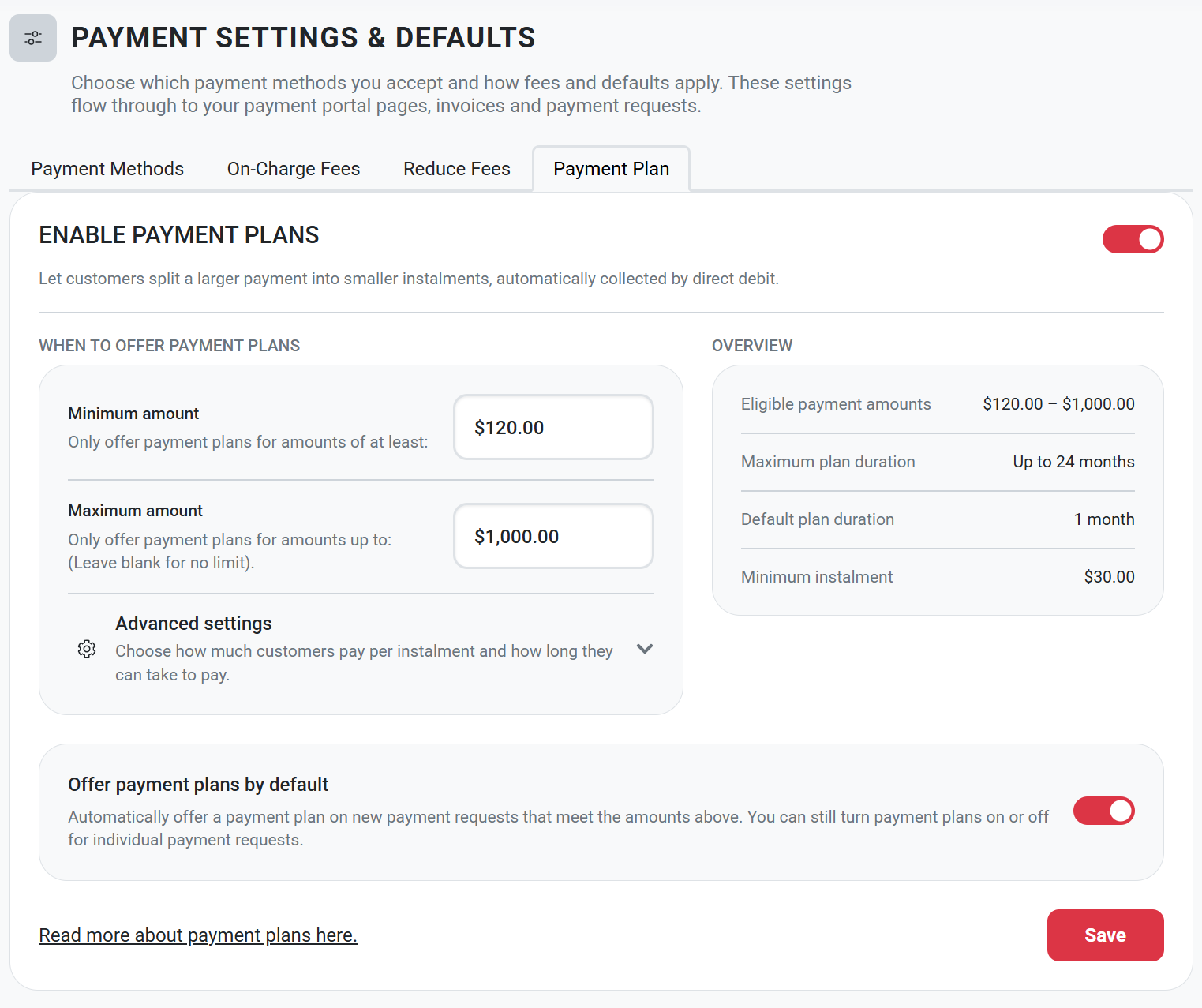
Easier Payment Plan settings
We've also uplifted the Payment Plan settings, making it easier to control when payment plans are offered and the options available to your customers.
Payment plans can provide another way to manage larger payments by allowing customers to pay over time rather than requiring the full amount to be paid by card at once.
Updated On-Charge Fee settings
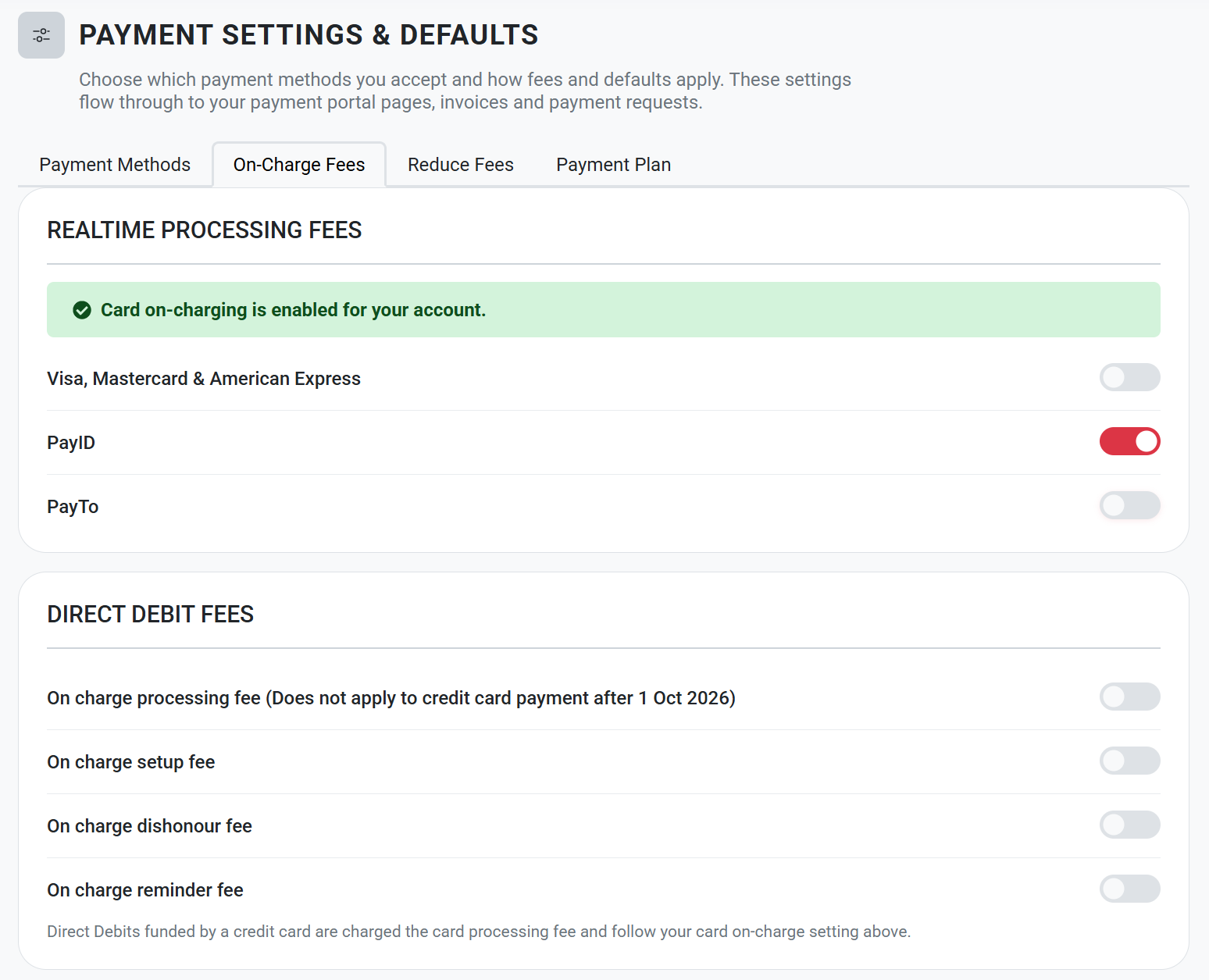
The On-Charge Fees tab has been reorganised to make your fee settings easier to manage. Fees are now grouped into:
Processing Fees
Direct Debit Admin Fees
Payment Request Fees
From 1 October 2026, Pay Advantage will automatically remove the ability to on-charge processing fees for card payments.
You can still choose to on-charge eligible fees for other payment methods, including bank account and PayID payments.
HINT: Combined with the new Payment Methods settings, this gives you more control over your approach. For example, you could disable credit cards and only offer payment methods where eligible processing fees can continue to be on-charged.
Upcoming Features
Bulk Direct Debit changes
We're also working on new bulk tools to help businesses manage existing Direct Debit Requests (DDRs) ahead of the surcharge changes.
You'll be able to:
Increase DDR payment amounts by a percentage — useful where you need to adjust your pricing to account for card processing costs that can no longer be surcharged.
Send Change Account links in bulk — allowing customers currently paying by credit card to easily move to a bank account payment.
HINT: Combined with the ability to disable credit cards, sending out change account links will give your business the option to continue to on-charge payment fees and move existing recurring customers away from card payments and towards lower-cost bank account payments.