Release 11.6.0
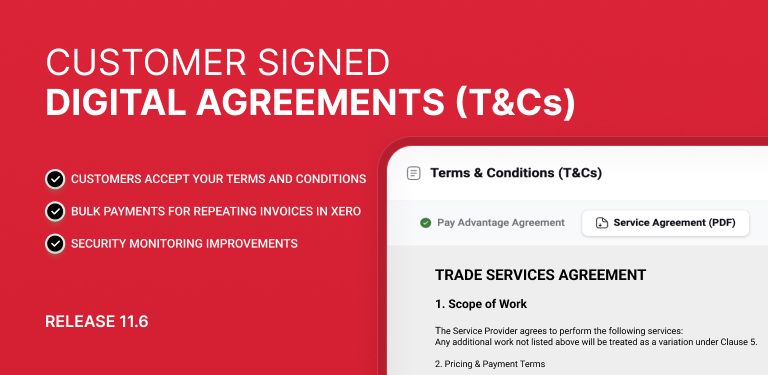
Customer Signed Digital Agreements / Terms and Conditions
You can now upload and ensure customers sign a Digital Agreement (e.g. Terms & Conditions) before they complete their Direct Debit Requests.
A new section in your Portal allows uploading a PDF version of the Digital Agreement you need your customers to sign before starting their contract
Each uploaded document requires a name to ensure a clear record of what customers agreed to on a specific date:
During authorisation:
Customers must explicitly accept the Terms & Conditions via a mandatory checkbox
A modal allows users to view the full document before accepting
After an authorisation is accepted, in your merchant portal you be able to view:
The specific version of T&Cs accepted
The date of acceptance

Bulk Payment Support for Repeating Invoices in Xero
Repeating invoices from Xero are now clearly identified and easier to manage within the platform.
They are clearly identified in the Xero Invoices list with a dedicated icon
A new “Edit Repeating Invoice” option has been added to the invoice dropdown menu
Users can now filter/select repeating invoices more easily via a dedicated selection option to allow paying repeating invoice with one simple click

Enhanced Fraud Protection & Security Visibility
We've added new safeguards in the Customer Portal to help protect your business from fraudulent payment activity.
Custom Links and Pay Any Amount pages are now monitored for suspicious patterns, with automated checks that step in only when clear signs of fraud are detected.
This change doesn't extend to Payment Requests or Direct Debit (DDR) authorisations, which already have dedicated safeguards.
In the rare event a check is triggered, you'll see the current status in your payment portal settings. Most resolve automatically within 24 hours, and our support team is on hand if you'd like a quicker review.
Improved Security Visibility
2FA challenge activity is now recorded on the user record, giving you a clearer view of sign-in attempts across your account.
Allow a customer to be set to inactive once all DDR’s are completed
Customers can now be marked as inactive once all associated Direct Debit Requests (DDRs) are completed or cancelled, improving housekeeping and filtering in the system.
A customer cannot be set to inactive if they have any DDRs in Draft, Authorising, Pending, or Active status
Customers with only completed or cancelled DDRs can now be made inactive
Inactive customers are excluded from default selection when creating new payments or DDRs