Release 10.8.0
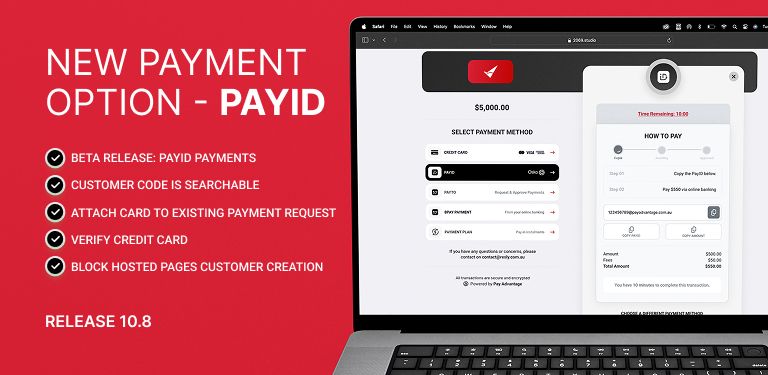
PayID Payments
PayID is a new payment method that allows your customers to pay you instantly using just an email address - no need to share bank account details or use credit cards. It's a secure, real-time payment system that works directly through your customer's online banking or mobile banking app.
To enable PayID on checkout or payment requests, please reach out to our support team for enablement.

For more information: What’s PayID article ?
CustomerCode is searchable
Customer code search functionality across customer, admin, and merchant admin screens.

Add a button to add a card to a payment request
Added the ability to attach a Customer Payment Account (CPA) to an existing Payment Request.
Previously, a CPA could only be linked when creating a new Payment Request.
With this update, a new button now allows you to attach a CPA even after the Payment Request has been created.

Expose the Payment Status through API and allow filtering based on status id
The API now includes the payment status in its response when a request is made. This is an attribute called status on the payment API call.
Refer to the documentation here:
https://docs.payadvantage.com.au/docs/payment-statuses
Verify Switch - Customer Payment Account
Enables merchants to decide whether to verify a customer’s payment card during account setup, supporting PCI-DSS compliance.
What’s new:
Added a “Verify Card” toggle when adding a Customer Payment Account.
The toggle lets the merchant choose whether card verification is performed.
If the toggle is changed after the credit card iframe has been initialised, the iframe will re-initialise to reflect the new setting.
The toggle label clearly states:
Verify Card – A fee is associated with card verification

Block Customer Creation - Hosted pages and Payment Portal
Adds a merchant-controlled setting to prevent the creation of new customers via Hosted Pages or the Payment Portal. This addresses merchant requests to stop customers from creating their own records from malformed or unauthorised links.
How it works:
New Setting: Found in the Hosted Pages section of merchant settings.
When enabled:
Hosted Pages and the Payment Portal will only process payments against existing customers (identified by External ID, Customer Reference Number, or BPAY Number).
No new customer records will be created.
If someone attempts a payment that would require creating a new customer, they will see:
“Sorry, this merchant is unable to take payments in this way. Please contact the merchant.”
When disabled: Current behaviour remains – new customers can be created if required.
Customer updates still allowed: Existing customers without required details (e.g., email/mobile) will be prompted to update them before proceeding.
Xero integration unaffected: Payments and links for Xero customers continue to work.